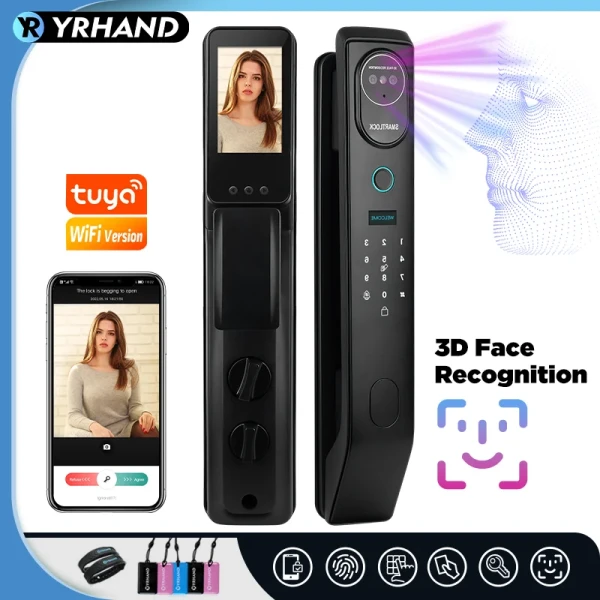
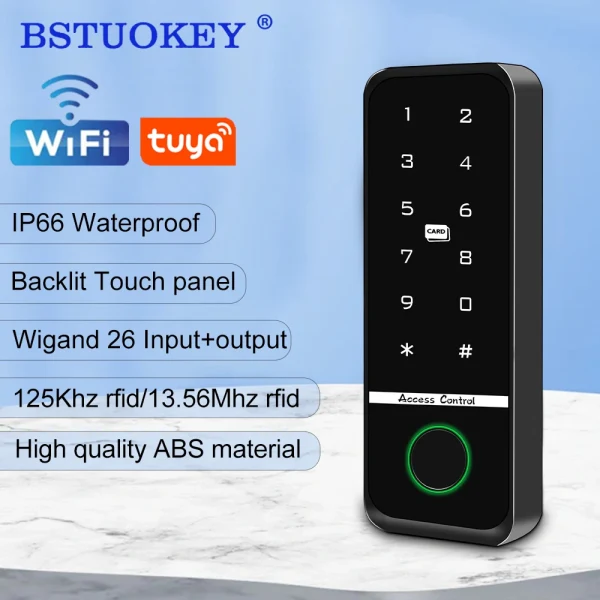
A smart lock replaces the key you always lose with a fingerprint, a code or your phone, and AliExpress is now full of them at a fraction of high-street prices. The pitch is convenient: walk up, touch a sensor, and the door opens, so no more digging through a bag or hiding a spare key under a mat. The reality is more mixed. Some cheap locks are genuinely solid, with real encryption, a reliable fingerprint reader and a physical key backup; others have a flimsy latch, a battery that dies without warning, or an app that phones home to a server you cannot check. A lock is the one gadget where getting it wrong has a real cost, so this guide covers how a smart lock works, the few features that actually matter, what the AliExpress price bands buy you, and the security and fit checks to run before you trust one with your front door.
Read also: Browse all Smart Home deals · What to look for in a cheap water bottle · Best budget dash cam in 2026
What a smart lock actually is
A smart lock is a motorised bolt or latch you open without a traditional key, usually by fingerprint, a PIN keypad, an app over Bluetooth or wifi, an RFID card or a physical key as backup. Most home models fit onto or replace your existing lock: some swap the whole cylinder, others clamp over the inside thumb-turn so the outside of the door looks normal. The important part is that a smart lock is still a lock first and a gadget second, so a slick app means nothing if the bolt is weak or the fingerprint reader misses half the time. Before you compare listings, look past the long feature list and focus on the handful of things that decide whether the lock is secure, reliable and actually fits your door.
The features that actually matter
- Unlock methods: the best value locks offer several, so fingerprint plus a keypad code plus a physical key covers you when a finger is wet or the battery is flat; treat the key or a backup method as essential, not optional.
- Connectivity: Bluetooth-only locks work from your phone at the door and are simpler and more private, while wifi or a bridge lets you unlock remotely and check the log from anywhere, which is handy but adds a cloud account to trust.
- Power and battery: most run on AA batteries or a rechargeable pack for six months to a year, and a good lock warns you early and has an emergency USB-C or nine-volt terminal outside so a dead battery never locks you out.
- Security and encryption: look for a real bolt or deadbolt rather than a token latch, and listings that mention encryption for the app and codes; a lock that brags about convenience but says nothing about security deserves a hard look.
- Fit and door type: measure your door thickness and check whether the listing suits a cylinder swap, a rim latch or a mortise, since a lock that does not physically fit your door is useless however clever it is.
- App and accounts: temporary codes for guests, a usage log and the option to work locally matter more than gimmicks, and it helps to know whether the brand is likely to keep the app running.
One trap catches a lot of buyers: choosing on the number of unlock methods in the photo rather than how well the core ones work. A lock advertised with ten ways in is pointless if the fingerprint reader is slow and wrong half the time, or the bolt is a thin spring latch a firm push defeats. If real security is the point, read the specification for the bolt type and any mention of encryption, and read recent reviews for the words jammed, failed and stuck, not just the glossy feature count. When you browse the smart home deals, treat a listing that only shouts about unlock methods and colours, with nothing about the bolt or a key backup, as a toy, not a front-door lock.
Where a smart lock genuinely helps
A smart lock earns its place on everyday friction, not on drama. The clearest win is never carrying a key: a fingerprint or a code means the kids, a house-sitter or you with your arms full of shopping all get in without a metal key to lose or copy. The second is guests and access: a temporary code you can hand a cleaner or a visitor, then delete, is far tidier than cutting spare keys, and a usage log tells you the door was opened at a sensible time. The third is peace of mind when you are away, since a wifi model lets you check the door is locked and re-lock it from your phone. What a budget lock will not do is turn a weak door into a strong one, survive a determined break-in that a good deadbolt would resist, or guarantee an app that still works in five years, so treat it as a convenient upgrade to a sound door, not a security system on its own. Used on a solid door with a real bolt, even a cheap smart lock removes most of the daily hassle of keys.
What your money buys on AliExpress
Prices move with flash sales, but the bands are steady. Around $25 to $45 you get a basic smart lock or a fingerprint handle, fine for an internal or low-risk door, usually Bluetooth-only with a keypad and a fingerprint reader but a lighter latch and a smaller battery. From $45 to $80 is the sweet spot: a proper deadbolt or a solid cylinder swap, fingerprint plus keypad plus app plus a physical key, a battery that lasts close to a year with an emergency power terminal, and often an anti-peep code feature. Above $80 to $150 you find wifi or Tuya or a bridge for remote access, a camera or a doorbell built in, stronger metal and better encryption. Spending more mostly buys remote features, a tougher bolt and a longer-lived app, not a different idea, so match the band to whether the door faces the street or a shared hallway. Compare a few options in the smart home category once you know your door type and whether you want remote unlocking.
Security and fit checks before you buy
A few checks save you from the worst listings and a lock that does not fit. First, measure your door: its thickness, the backset, and whether you have a euro cylinder, a rim latch or a mortise, then confirm the listing matches, because a smart lock that does not fit your door is the most common regret. Second, insist on a backup: a physical key, a keypad code and an outside emergency power terminal so a flat battery never traps you outside. Third, read the security detail: a real deadbolt or a solid bolt rather than a token spring latch, and a mention of encryption for the app and codes, plus reviews that do not report the lock jamming or opening on the wrong finger. On privacy, a Bluetooth-only lock keeps everything on your phone, while a wifi model sends data to a cloud account, so if remote access matters, pick a brand you are willing to trust with your door log and use a strong, unique app password. Get the fit and the backup right and a cheap smart lock is a genuine upgrade; get them wrong and it is either the wrong shape for your door or a way to get locked out, so measure first and never buy a lock with no key or code fallback.
Frequently asked questions
Are cheap smart locks safe?
Within limits, yes. A budget lock with a real deadbolt, encryption for the app and a physical key backup is a reasonable upgrade for most front doors, and no less pickable than a standard lock. What it will not do is turn a weak door or frame into a strong one, or promise an app that lasts for years. Buy on the bolt type and a key backup rather than the number of unlock methods, and avoid any lock that hides its security detail.
What happens if the battery dies?
A good smart lock warns you for days or weeks before the battery runs out, through the app or a beep at the keypad. If it does go flat, most have an emergency power terminal outside, usually USB-C or a nine-volt battery you hold against two contacts, that powers the lock long enough to open with your code or fingerprint. Keep a physical key as a final backup, and you are never locked out by a dead battery.
Do smart locks work without wifi?
Many do. A Bluetooth-only lock works entirely from your phone at the door and from the keypad and fingerprint reader, with no wifi and no cloud account, which is simpler and more private. You lose remote unlocking and checking the door from away, which need wifi or a bridge. If you only want keyless entry at the door, a Bluetooth lock is cheaper, more private and has fewer things to fail.
Can I fit a smart lock myself?
Often yes, if it matches your door. Many models replace the inside thumb-turn or swap a euro cylinder with basic tools in half an hour, and the listing should show the door types and thickness it fits. The key is measuring first: door thickness, backset and lock type. If your door is unusual or you are unsure, a locksmith is worth it, since a lock fitted badly is a security weakness, not a smart feature.
So, how do you choose a smart lock?
For most people the answer is to buy on fit and the basics, not the feature count. A $45 to $80 lock with a real deadbolt or a solid cylinder, fingerprint plus a keypad code plus a physical key, a battery that lasts close to a year with an emergency terminal, and encryption for the app does almost everything a far pricier brand does for a normal front door. It is the wrong buy if you pick on unlock methods alone, ignore your door measurements, or trust a lock with no key or code fallback. Measure your door first, insist on a backup, read the reviews for jammed and stuck, and choose Bluetooth for privacy or wifi for remote access. Get that right and a cheap smart lock is a genuine daily upgrade that ends the search for keys. Get it wrong and it is the wrong shape for your door or a lock-out waiting to happen, so buy on the bolt, the backup and the fit, not the number of ways in, and for most doors the budget models are more than enough.