A smart plug is the cheapest way to make a plain appliance a little bit clever. You put it between the wall socket and whatever you plug in, and suddenly a lamp, a heater or a coffee machine can be switched from your phone, put on a schedule, or turned off by a voice assistant. On AliExpress they start at a couple of dollars, which makes them one of the first things people buy when they dip a toe into a smart home. The catch is that the listings promise the world: energy saving, app control, works with everything, and a lot of buyers end up with a plug that drops off the Wi-Fi every other day or does nothing their power strip did not already do. Under fifteen dollars you will not rebuild your house, so the smart move is to decide what you actually want a plug to do, then buy the one that does it reliably instead of the one with the longest feature list. This guide shows you what a smart plug really does, where it genuinely saves money, and the quick checks that separate a keeper from a returns label.
Read also: Browse all Smart Home deals · What to look for in a cheap water bottle · Best budget dash cam in 2026
What a smart plug actually does
A smart plug has one core job: switch the power to whatever is plugged into it, on command and on a schedule, without you walking over to the socket. Everything else, the energy graphs, the voice control, the away mode, is built on top of that one switch. A cheap unit earns its price when it connects to your Wi-Fi first time, holds the connection for months, and reacts instantly when you tap the app or ask a speaker. Before you compare listings, decide what you will plug into it and why, because turning a lamp on at dusk and measuring the draw of a fridge are judged on completely different features.
The features that actually matter
- Wi-Fi band: most cheap plugs use 2.4GHz Wi-Fi, which is fine and has good range, but confirm your router broadcasts a 2.4GHz network because a 5GHz only setup will not pair.
- Scheduling and timers: the real everyday value is automation, so check the app offers proper schedules, countdown timers and a sunset or sunrise trigger, not just a manual on and off.
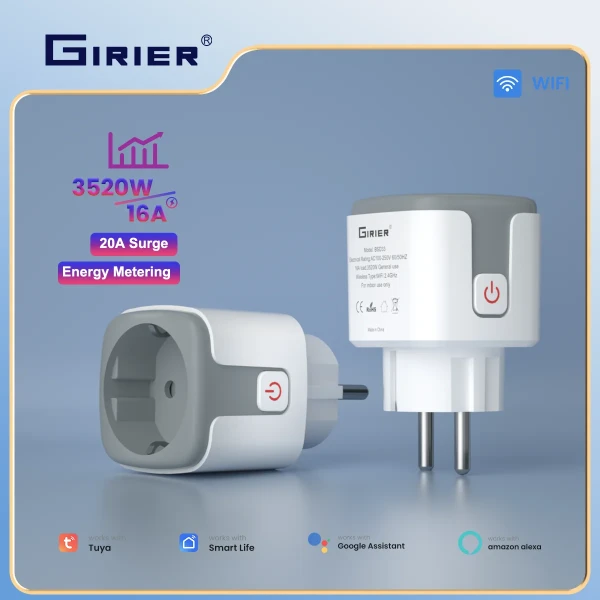
- Energy monitoring: only some plugs measure real power draw in watts; if you want to hunt down what costs you money, buy one that clearly lists energy metering, because many cheap models skip it.
- Assistant support: confirm it works with Alexa and Google Home if you use them, and check whether it needs a specific app like Tuya or Smart Life rather than its own.
- Rated load: match the plug to the job; a 10A plug suits lamps and electronics, while a heater or kettle needs a 16A model, and overloading a cheap plug is a real safety issue.
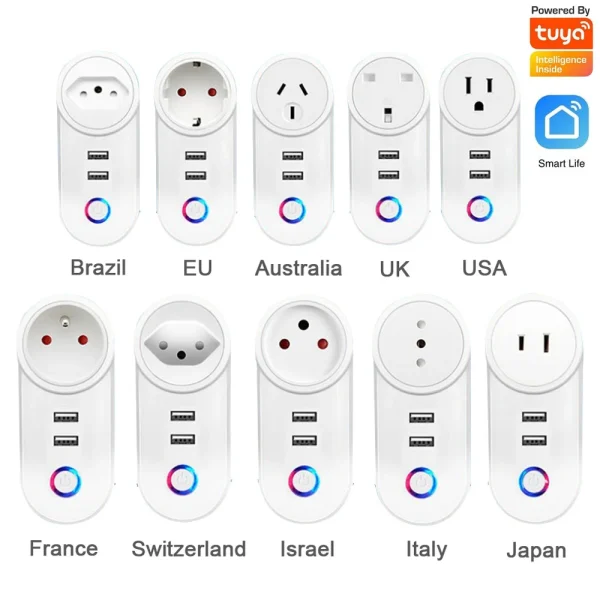
- Plug type: AliExpress sells EU, UK, US and AU versions, so pick the socket standard for your country or you will need an adapter that defeats the point.
One trap catches a lot of buyers: assuming every smart plug measures energy. Many of the cheapest models only switch on and off and have no metering at all, so the tidy energy graphs in the photos may belong to a pricier version. If cutting your bill is the goal, read the specification for the words power monitoring or energy metering in watts, not just app control. When you browse the smart home deals, treat a vague energy claim with no watt figure as marketing, not a feature you can rely on.
Where smart plugs actually save money
A smart plug does not cut your bill by magic; it cuts it by killing waste you would otherwise ignore. The classic win is standby power: a television, a games console, a desktop and its monitor, or a printer can quietly draw watts around the clock, and a plug on a schedule or an away routine cuts that dead overnight and while you are out. The second win is heating and hot appliances used on a timer, so a heater warms a room just before you get home instead of running for hours, and a water heater or towel rail runs only in the cheap hours if your tariff has them. The third is simply awareness: a plug with energy monitoring shows you which old fridge or set top box is the quiet money pit, and that knowledge often saves more than the plug costs. What a smart plug will not do is make an efficient, already off device cheaper, so aim it at the things that sit on standby or run longer than they need to.
What your money buys on AliExpress
Prices move with flash sales, but the bands are steady. Around $3 to $6 you get a basic on off smart plug with app control and simple schedules, fine for lamps and small electronics but usually with no energy metering and a lower 10A rating. From $6 to $12 you reach the sweet spot: reliable 16A models with real power monitoring in watts, sunrise and sunset triggers, and solid Alexa and Google support, which is all most homes ever need. Above $12 to $20 you find sturdier build, multi socket power strips with individual smart control, and sometimes local control that keeps working if your internet drops. Spending more mostly buys you a higher current rating, genuine energy metering and better reliability, not a different core feature, so match the band to whether you just want to switch a lamp or actually track and trim your consumption. Compare a few options in the smart home category once you know the rating and metering you need.
Quick checks before you click buy
A few checks save you from the worst listings. Confirm the plug type matches your country sockets, and that the current rating suits what you will plug in, especially for any heater or kettle. Check the specification actually lists energy monitoring in watts if that is why you are buying. Read recent reviews for the one thing photos never show: whether the plug holds its Wi-Fi connection or drops off and needs re pairing. Confirm it works with your assistant and note which app it uses, since many share the Tuya or Smart Life app and can sit alongside your other devices. Finally, think about placement: a chunky plug can block the second socket on a double outlet, so a slim design or a short extension lead keeps the neighbouring socket usable.
Frequently asked questions
Do smart plugs really lower your electricity bill?
They can, but only by cutting waste you control. A plug that kills standby power on a television, console or old set top box, or runs a heater on a tight schedule, saves real money over a year. A plug on an already efficient, fully off device saves nothing. The biggest gains come from pairing energy monitoring with a schedule so you see the waste and then automate it away.
Do smart plugs use power themselves?
Yes, a tiny amount to stay connected to Wi-Fi, usually under a watt, which costs a few cents a year. That standby draw is trivial next to what a plug saves when it switches off a device that would otherwise sit on standby all day, so the net effect on your bill is still positive when you use it on the right appliances.
Will a cheap smart plug work with Alexa or Google Home?
Most do, but confirm it in the listing rather than assuming. Many budget plugs run the Tuya or Smart Life app and link to Alexa and Google Home in a few taps, which also lets them share one app with your other smart home gear. Check your Wi-Fi is on the 2.4GHz band, since almost all cheap plugs need it to pair.
Are cheap smart plugs safe for heaters and kettles?
Only if you match the rating. A high power appliance like a heater or kettle can pull close to 16A, so use a plug clearly rated for it, never a 10A model meant for lamps. Buy from a listing with real reviews, avoid the very cheapest no name units for heavy loads, and never daisy chain plugs, since overloading a cheap plug is a genuine fire risk.
So, are smart plugs worth it?
For most homes, yes, as long as you buy for the job. A cheap smart plug is worth it when you point it at standby waste, put heating and hot appliances on a schedule, and use energy monitoring to find the quiet money pits, all for the price of a coffee or two. It is not worth it if you expect it to cut the bill on a device that is already efficient and switched off, or if you buy an underrated plug for a heater. Match the plug type and current rating to your home, insist on real watt metering if saving money is the point, and check the reviews for a stable connection. Get that right and a handful of plugs under fifteen dollars will trim waste and add real convenience for years. Get it wrong and you have a gadget that drops off the Wi-Fi and saves nothing, so buy for what you will actually automate and the cheap models are, for most homes, genuinely enough.