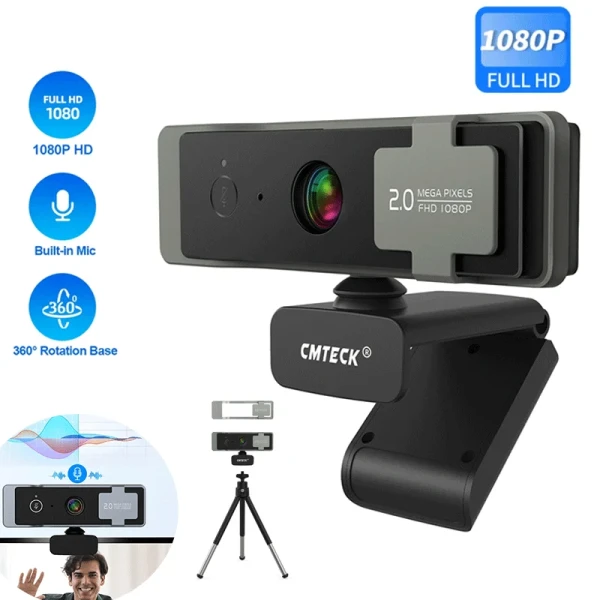
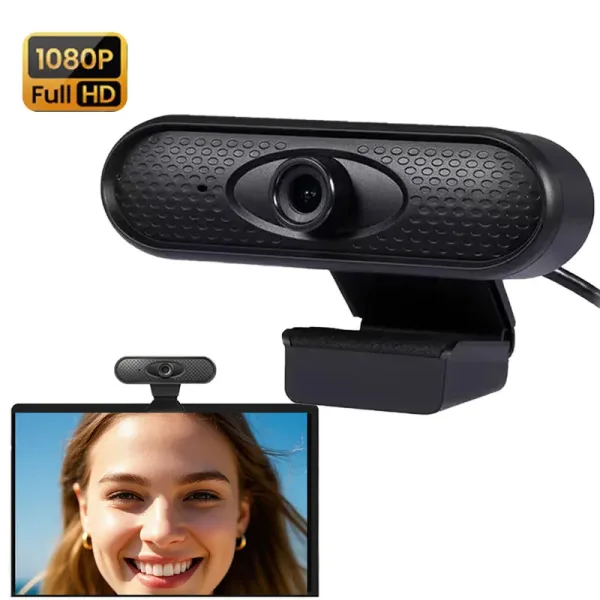
Your laptop already has a camera, and for years that was the end of the conversation. Then remote work, calls with clients and the odd bit of streaming turned that grainy, washed out built in lens into a real problem. A good external webcam is one of the cheapest upgrades that instantly makes you look more professional on a call, and AliExpress is full of them, from five dollar clip on cameras to sharp 2K models with a ring light built into the bezel. The trouble is that the specifications are a minefield: a listing screaming "4K HD" often hides a soft 720p sensor, and the autofocus that looks great in the product video hunts and blurs the moment you lean back in your chair. Under thirty dollars you will not buy a broadcast camera, so the smart move is to decide which two or three things matter for your calls, then buy the webcam that nails those instead of the one with the biggest number in the title. This guide shows you what a good budget webcam has to get right, how to match one to your setup, and the quick checks that separate a keeper from a returns label.
Read also: Browse all Electronics deals · What to look for in a cheap water bottle · Best budget dash cam in 2026
What a good webcam actually has to get right
An external webcam has one core job: put a sharp, well lit, natural looking image of your face on the other person's screen without you having to think about it. Everything else, the tripod thread, the privacy shutter, the bundled clip, is a bonus. A cheap unit earns its price when the image stays sharp in ordinary indoor light, the colours look natural rather than washed out or orange, and the microphone is clear enough to skip a headset for a quick call. Before you compare listings, decide where you will use it and in what light, because a bright home office by a window and a dim bedroom at night are judged on completely different things.
The specs that actually matter
- Real resolution: look for a genuine 1080p sensor at 30fps as the sensible baseline; a listing that shouts "4K" or "2K HD" often interpolates from a smaller sensor, so read the reviews for real world sharpness rather than trusting the title.
- Low light performance: most calls happen in imperfect light, so a camera that stays clean and bright indoors matters more than a headline resolution that only looks good in a studio.
- Autofocus versus fixed focus: autofocus keeps you sharp if you move, but cheap autofocus can hunt and pulse; a good fixed focus lens is often steadier for someone sitting still at a desk.
- Field of view: a 65 to 78 degree view frames one person nicely, while a wider 90 degree plus lens fits a couple of people but distorts a single face up close.
- Built in microphone: a dual mic with noise reduction is handy for quick calls, though a dedicated headset or mic will always sound better for long meetings.
- Mounting and shutter: confirm it clips firmly to your screen, has a standard tripod thread if you want a stand, and ideally a physical privacy shutter.
One trap catches a lot of buyers: the resolution number in the title. A tiny sensor behind a plastic lens cannot magically deliver true 4K, and that inflated figure usually hides softness, heavy noise in low light, or a frame rate that drops to a stutter at the advertised resolution. A webcam that honestly states 1080p at 30fps will almost always look better on a real call than one shouting "4K" over a cheap sensor. When you browse the electronics deals, treat an oversized resolution claim as a red flag, not a feature to pay extra for.
Match the webcam to your setup
Where and how you use the camera decides almost everything. If you take calls in a home office with a window or a lamp, a solid 1080p fixed focus webcam with natural colour will look great without any fuss. If your room is dim, or you record in the evening, prioritise a model praised for low light performance, or pair a cheaper camera with a small clip on light rather than paying for a headline sensor you cannot feed enough light. If you stream or present, autofocus and a wider field of view help you move around, and a built in ring light can save you buying separate lighting. Think about your screen too: a heavy webcam can tip forward on a thin laptop lid, so check the clip design, and if you use a tripod or an arm, confirm the standard thread is there. Once you know your light and your mounting, you can compare a few options in the electronics category with confidence.
What your money buys on AliExpress
Prices move with flash sales, but the bands are steady. Around $5 to $12 you get a basic 720p or entry 1080p clip on camera that is fine for occasional calls in good light but soft and noisy when the room dims. From $12 to $25 you reach genuine 1080p at 30fps with better colour, a usable dual microphone and often a privacy shutter, which is the sweet spot for most home office use. Above $25 to $50 you start to find sharper 2K sensors, autofocus that actually holds, wider lenses for streaming and sometimes a built in ring light. Spending more mostly buys you better low light performance, steadier focus and a cleaner microphone, not a magically different face, so match the band to how you actually call rather than to the biggest number in the listing.
Quick checks before you click buy
A few checks save you from the worst listings. Confirm the real resolution and frame rate in the specification table, not just the word in the title, and be suspicious of any "4K" claim under $20. Read recent reviews for the two things photos never show: low light quality and whether the autofocus hunts. Check the field of view matches your room, that the clip fits your screen thickness, and that the microphone is good enough if you plan to skip a headset. Confirm the connector is the USB type your computer takes, and that a privacy shutter or at least a cover is included if that matters to you. Finally, plan your light: even the best budget webcam looks flat in a dark room, and a cheap clip on light or simply facing a window lifts your image more than the next sensor tier would.
Frequently asked questions
Is an external webcam really better than my laptop camera?
Almost always, yes. Laptop cameras use tiny sensors squeezed into a thin lid, so they look soft and noisy in anything but bright light. A dedicated 1080p webcam has a bigger sensor and a better lens, and you can also position it at eye level, which instantly looks more natural on a call than the usual up the nose laptop angle.
What do the "4K" numbers on cheap webcams mean?
Often very little. A true 4K sensor and the lens to match cost far more than the price of these cameras, so a cheap "4K" webcam usually interpolates from a smaller sensor or drops to a low frame rate. For calls, a genuine 1080p at 30fps looks better and more reliable than an inflated 4K claim, so read the reviews rather than the title.
Do I still need a separate microphone?
For quick calls, a webcam with a decent dual microphone is fine and saves you wearing a headset. For long meetings, streaming or recording, a dedicated microphone or headset will always sound clearer, because the webcam mic sits far from your mouth and picks up more room noise. Many people use the webcam mic for casual calls and a proper mic when it matters.
Will a cheap webcam work with my laptop or TV?
Most clip on webcams are plug and play over USB and work on Windows, macOS and Linux without drivers. Check the connector, since some use USB-C and others the older USB-A, and grab an adapter if needed. For a TV or console, support is patchy, so confirm in the reviews that it works with your device before you count on it.
Making the right choice for your setup
A budget webcam is worth it when you buy for the way you actually call: a genuine 1080p sensor, natural colour, focus that suits whether you sit still or move, and a field of view that frames you rather than the whole room. Decide where you will use it and in what light, ignore the inflated 4K claims, and put your money toward good low light performance and a small light rather than a bigger printed resolution. Get that right and a webcam under $30 will make every call look sharper and more professional for years. Get it wrong and even a flashy bargain will sit blurry and dim in a drawer. Match the webcam to your setup and the cheap models are, for most calls and casual streaming, genuinely enough.